Where to Create a Logo for Free: 12 Tools Compared (No-Watermark Options, 2026)
September 25, 2025 by Aarav SharmaLast updated: June 15, 2026
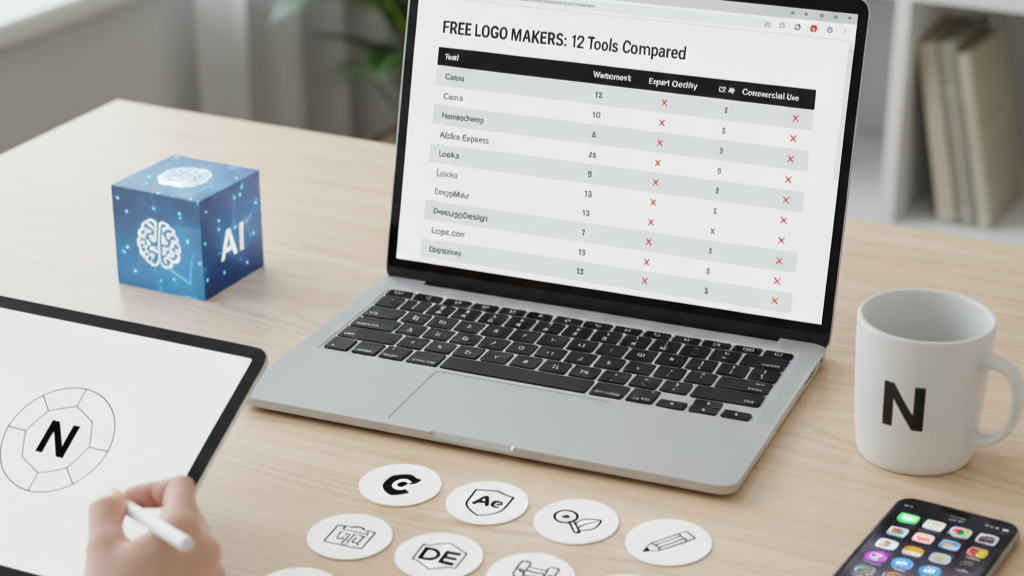
Finding a truly free logo maker is tricky. Many tools limit exports, add watermarks, or restrict commercial use. This guide compares the top options so you can ship a clean, on-brand logo today without surprises.
TL;DR
- Best overall free experience: Canva Free — fast, flexible, huge template library, decent SVG on paid; PNG on free.
- Cleanest commercial terms: Namecheap Logo Maker — free to use and download; simple license.
- Best AI-first concepting: BrandForge AI (free trial) — guided prompts and quick iterations; upgrade for full brand kit.
Prefer a guided AI workflow? See “Can ChatGPT Create a Logo?” at /blog/can-chatgpt-create-a-logo and our practical overview in /blog/ai-logo-design-from-idea-to-icon.
How we evaluate “free”
- Watermarks: Does the free export include a watermark?
- Export quality: PNG transparency at minimum; SVG preferred.
- Commercial rights: Is commercial use allowed on the free plan?
- Uniqueness: Risk of lookalikes due to shared templates.
- Ease of iteration: Can you refine quickly without hitting paywalls?
Top 3 quick picks
- Canva Free
- Pros: Massive templates, fonts, simple editor, transparent PNG export.
- Cons: SVG export is paid; many templates are not unique.
- Best for: Fast DIY with social-ready exports.
- Namecheap Logo Maker
- Pros: Free download and broad commercial rights; quick questionnaire flow.
- Cons: Limited advanced editing; outputs can feel generic.
- Best for: Simple, no-strings free download.
- BrandForge AI (free trial)
- Pros: AI-guided directions aligned to your brand; easy refinement loop.
- Cons: Advanced features and full brand kits are paid.
- Best for: Rapid concepting with consistent style.
The full list: 12 free logo makers (web + mobile)
- Canva Free (Web, iOS, Android)
- Pros: Huge template ecosystem; transparent PNG; easy brand colors.
- Cons: SVG export requires Pro; many assets are template-based.
- Namecheap Logo Maker (Web)
- Pros: Free, simple license; quick generation.
- Cons: Fewer layout controls; less unique results.
- Adobe Express (Free plan)
- Pros: Polished templates; integrates with other Adobe apps.
- Cons: Some assets behind paywall; watermark risk on some designs.
- Hatchful by Shopify
- Pros: Beginner-friendly flows; free downloads.
- Cons: Limited editing; outputs often generic.
- Looka (Free preview)
- Pros: Attractive concepts; brand kit on paid.
- Cons: High-res exports typically paid.
- LogoMakr (Web)
- Pros: Simple vector shapes; cheap paid SVG; free PNG with attribution.
- Cons: Attribution requirement on free; limited fonts.
- DesignEvo (Web)
- Pros: Large icon library; basic customization.
- Cons: Free export often low-res or attribution required.
- FreeLogoDesign (Web)
- Pros: Quick generation; simple editor.
- Cons: High-res/SVG paid; templates not unique.
- Logo.com (Web)
- Pros: Clean UI; name-based ideas fast.
- Cons: High-res exports paid; limited customization on free.
- Adobe Illustrator for iPad (Free trial)
- Pros: True vector control; professional-grade shapes and paths.
- Cons: Not a logo maker; learning curve; subscription after trial.
- Inkscape (Desktop, Free)
- Pros: Fully free vector editor; pro-level control; SVG native.
- Cons: No templates; more manual work.
- Figma (Free tier)
- Pros: Vector tools, plugins, collaboration; export SVG/PNG.
- Cons: Not a logo generator; requires design skills.
Note: Terms change. Always confirm current licensing and watermark/export rules before using assets commercially.
Make a free logo look professional
- Start with a simple, ownable shape; avoid overused stock icons.
- Test at small sizes (24–48px) and in monochrome for clarity.
- Align spacing and proportions; use a grid or consistent padding.
- Choose one primary typeface; avoid mixing too many fonts.
- Export SVG for scalability; PNG with transparency for web.
When free isn’t enough
- You need a trademarkable, unique mark in a crowded niche.
- You want a full identity system (typography, color, usage).
- You need file hygiene: precise curves, optical adjustments, kerning. In these cases, hire a designer or use a hybrid flow: generate concepts with AI, then have a pro refine vectors.
FAQ: “logo create for free” and related questions
Q: Where to create a logo for free? A: Try Canva, Namecheap Logo Maker, or BrandForge AI’s free trial for fast, watermark-free starts and clear licensing.
Q: Logo create for free — is it really free? A: Often yes for low-res PNGs. For SVG/high-res, many tools charge or require attribution. Check each tool’s license.
Q: Can I create a logo for free? A: Yes. For commercial use, verify license terms and consider a designer for uniqueness.
Q: Which free app is best on mobile? A: Canva on iOS/Android balances templates, fonts, and exports. See our app roundup: /blog/logo-create-app
Related reading
- Can ChatGPT Create a Logo? /blog/can-chatgpt-create-a-logo
- Logo Create App: Best Apps for iOS, Android, and Web /blog/logo-create-app
- AI Logo Design: From Idea to Icon /blog/ai-logo-design-from-idea-to-icon
Ready to turn a free concept into a polished, on-brand logo? Try BrandForge AI’s Logo Generator and Refinement Studio. Get started.
Frequently Asked Questions
What is the best free logo maker with no watermark?
Namecheap's Logo Maker is free to use and download with no watermark and simple commercial terms, and Inkscape is a fully free desktop vector editor. Canva's free plan is also watermark-free for logos, though SVG export requires Pro.
Is Canva's free plan really free for logos?
Yes — you can design and download a logo as a PNG on Canva's free plan without a watermark. The main limits are SVG export and some premium assets, which require Canva Pro.
Can I use a free logo commercially?
Usually, but check each tool's license. Namecheap and Inkscape allow commercial use; some 'free' makers restrict commercial rights or require attribution. Confirm before using the logo on products or signage, and check the design isn't too similar to an existing trademark.
Do free logo makers add watermarks?
Many do on the free tier, revealing a clean export only after you pay. The tools we recommend (Namecheap, Inkscape, and Canva's free PNG export) do not watermark your logo. If you want an AI-guided option, BrandForge AI offers a free trial before you upgrade for the full brand kit.